This is what you need to do to be able to see visitor info for your HERO+ Funnels Site:
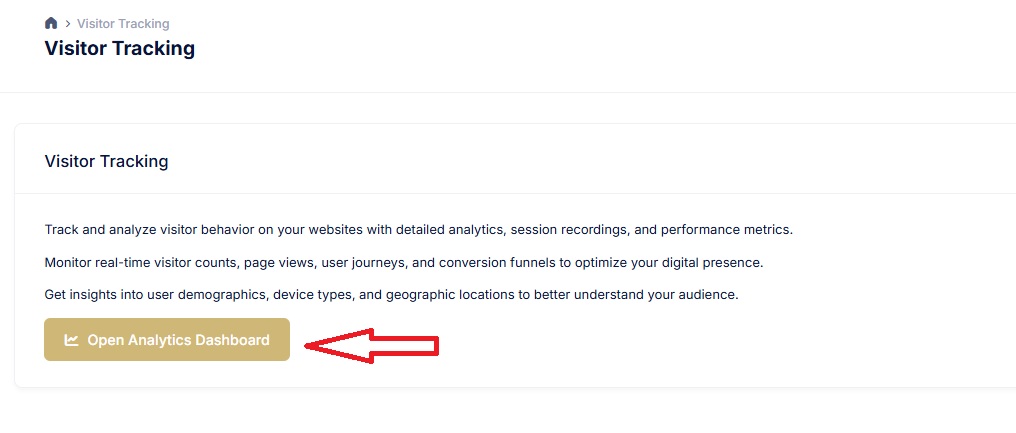
Go to the Visitor Tracking tool section in the HERO+ Tools, located here: https://app.heroplusai.com/apps/visitor-tracking/
In that screen, click where it says “Open Analytics Dashboard”. This will take you to the Visitor Tracking tool.
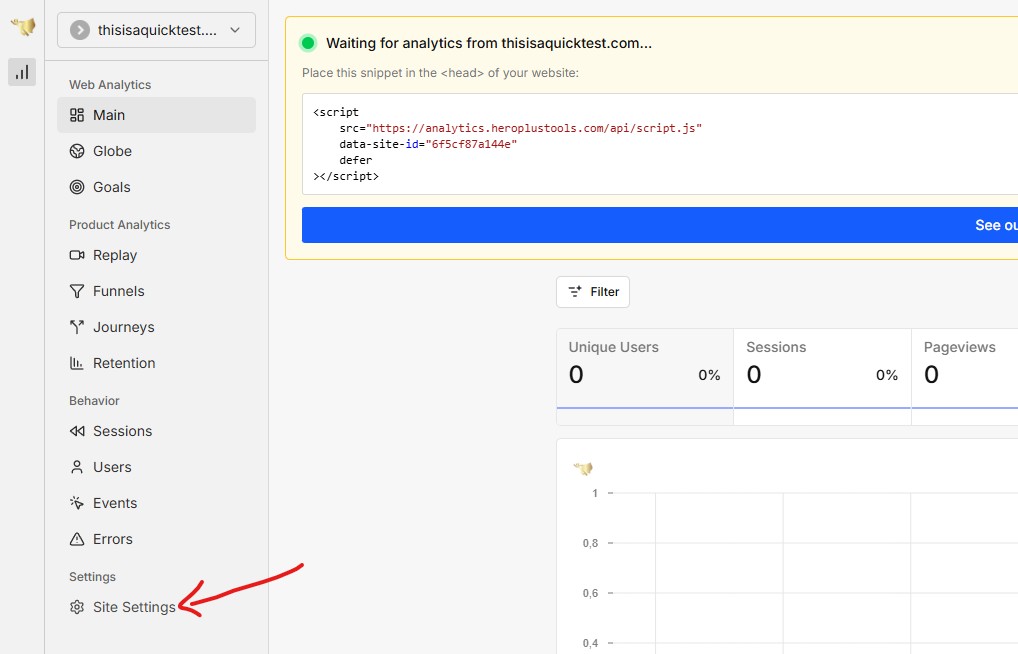
If you still haven’t added the domain to the tool, you need to do the following:
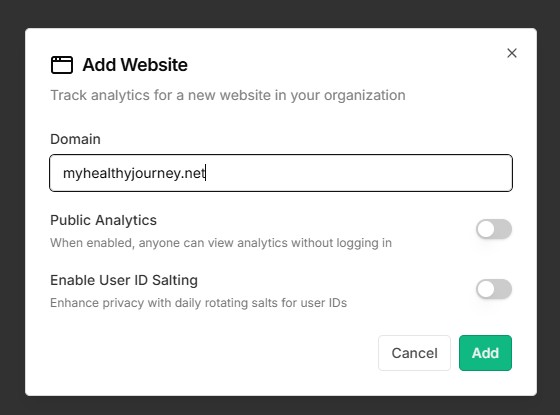
Click on “Add Website”
Enter your domain name (without https or www), for example “myhealthyjourney.net”
Then it will show you a code at the top.
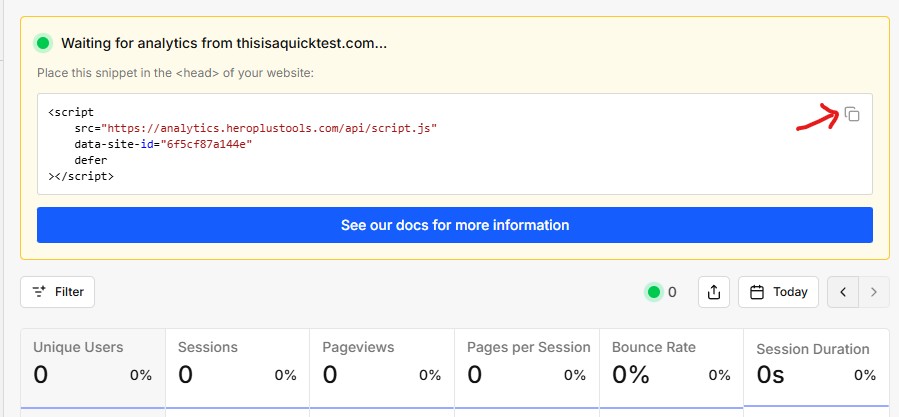
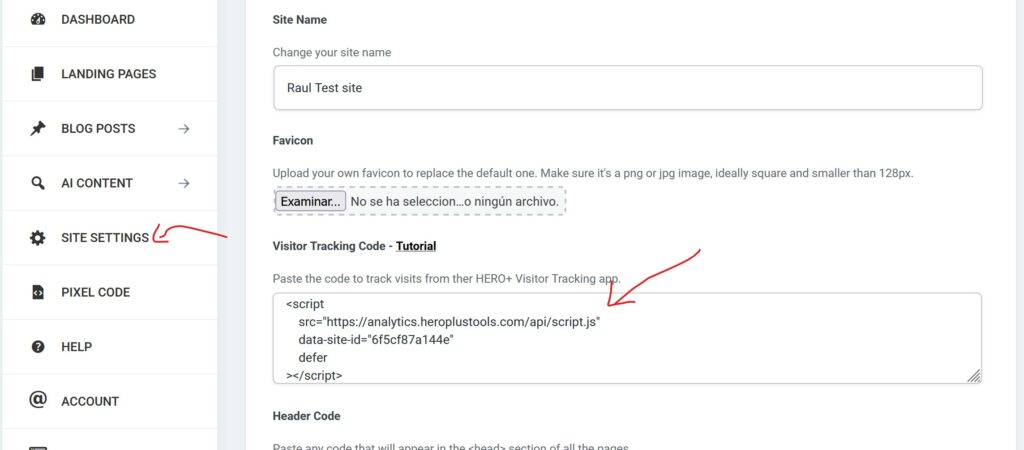
Copy that code and enter it in your HERO+ Funnels site, section Site Settings > Visitor Tracking Code box. Click “Save Changes” at the bottom.
That’s all, from now on, people who visit your domain will appear inside the Visitor Tracking tool, so you can see where they come from, how long they stay, where they click, etc.
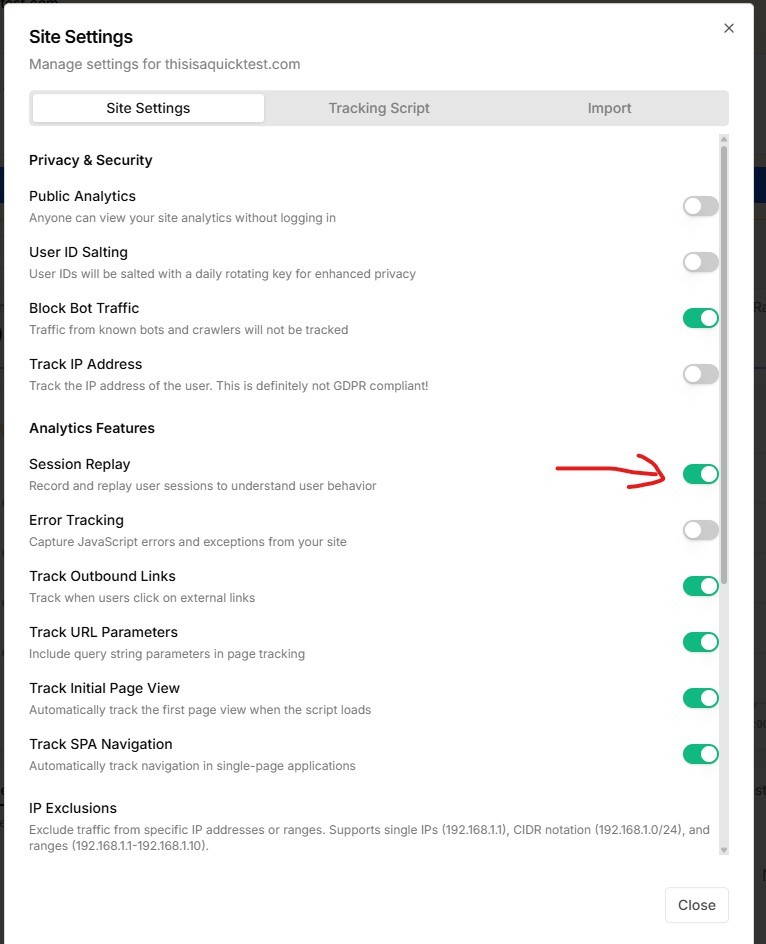
If you also want to save visitor session recording, in the Visitor Tracking tool you need to click on “Site Settings”, and enable “Session Replay”.